An editable starting plan
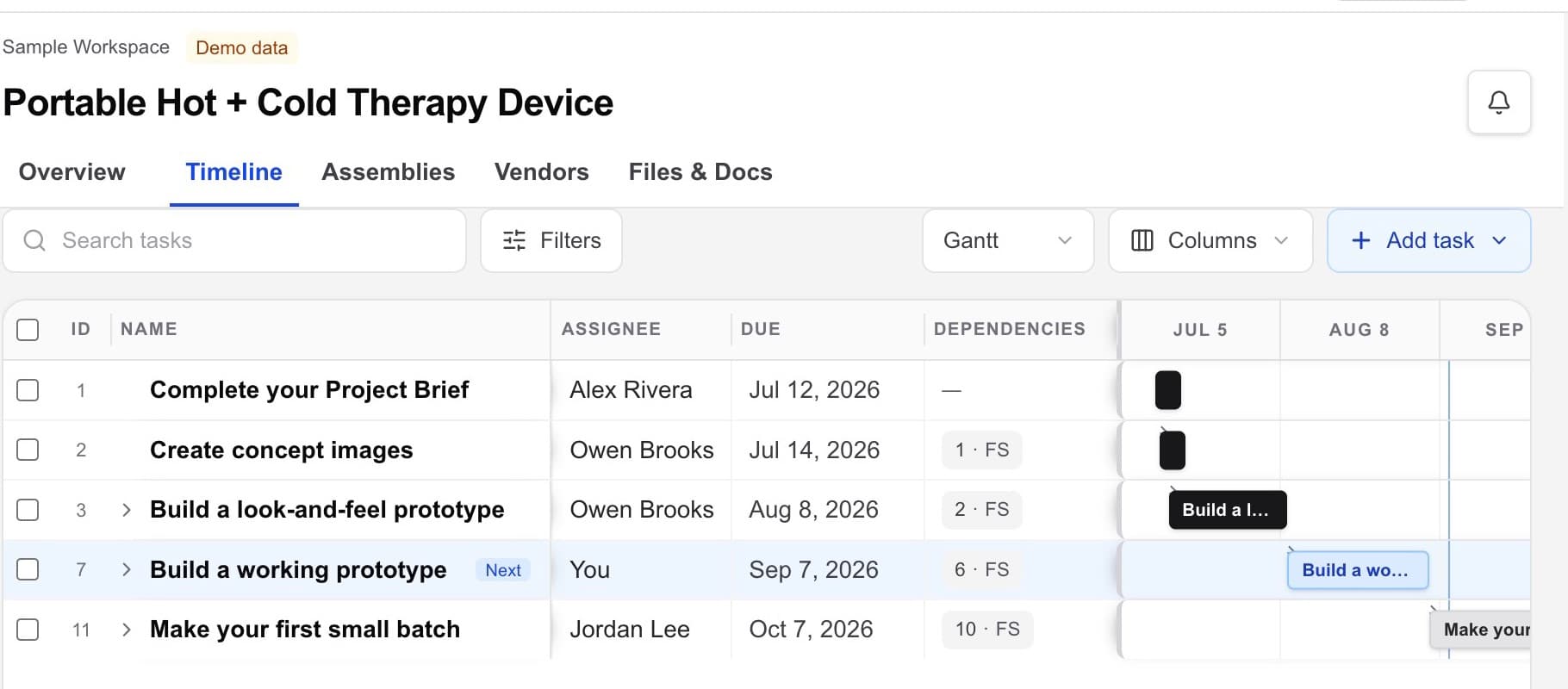
Start with a practical hardware journey, a blank project, or an imported plan, then change every task to fit the product.

Hardware project management
Workbench connects the work that generic task tools tend to separate: project deliverables, owners and dates, design files, assemblies, vendors, approvals, and the context that moves each handoff forward.
Hardware project management · design files · vendors · handoffs
The working problem
A hardware project becomes hard to run when the schedule is in one tool, CAD in a folder, vendor follow-up in email, and the definition of done lives in someone’s memory.
Project management should stay close to the product records and external handoffs it is managing—not become another disconnected layer of tasks.
Inside the workspace
Start with a practical hardware journey, a blank project, or an imported plan, then change every task to fit the product.
Move between Home, Timeline, Assemblies, Vendors, and Files & Docs without rebuilding the project story.
Use Home to orient across projects, then keep updates and handoff notes with each project so the next action stays visible.
A practical flow
Set up one workspace for the product, its deliverables, owners, files, vendors, and handoffs.
Add clear outputs with ownership, timing, status, and the files or vendors connected to them.
Keep dates, owners, approvals, and next steps current as the physical work changes.
Use project notes and connected records to leave the next person with usable context.
What becomes clearer
A strong fit when
Keep exploring
Bring the hardware project together
Use Workbench to find, compare, select, and coordinate vendors. You choose whom to engage and keep control of every vendor relationship.