Project Brief
A living definition of the product, user, constraints, assumptions, and next decision.

Hardware project management + document control
Start with a clear, editable hardware journey, then keep the plan, files, product structure, vendors, quotes, feedback, and revisions connected as the product takes shape.
Self-service access is currently available only to adults in the United States and qualifying U.S. organizations. Review the Workbench Terms.
Need outside help? Find and compare vendors
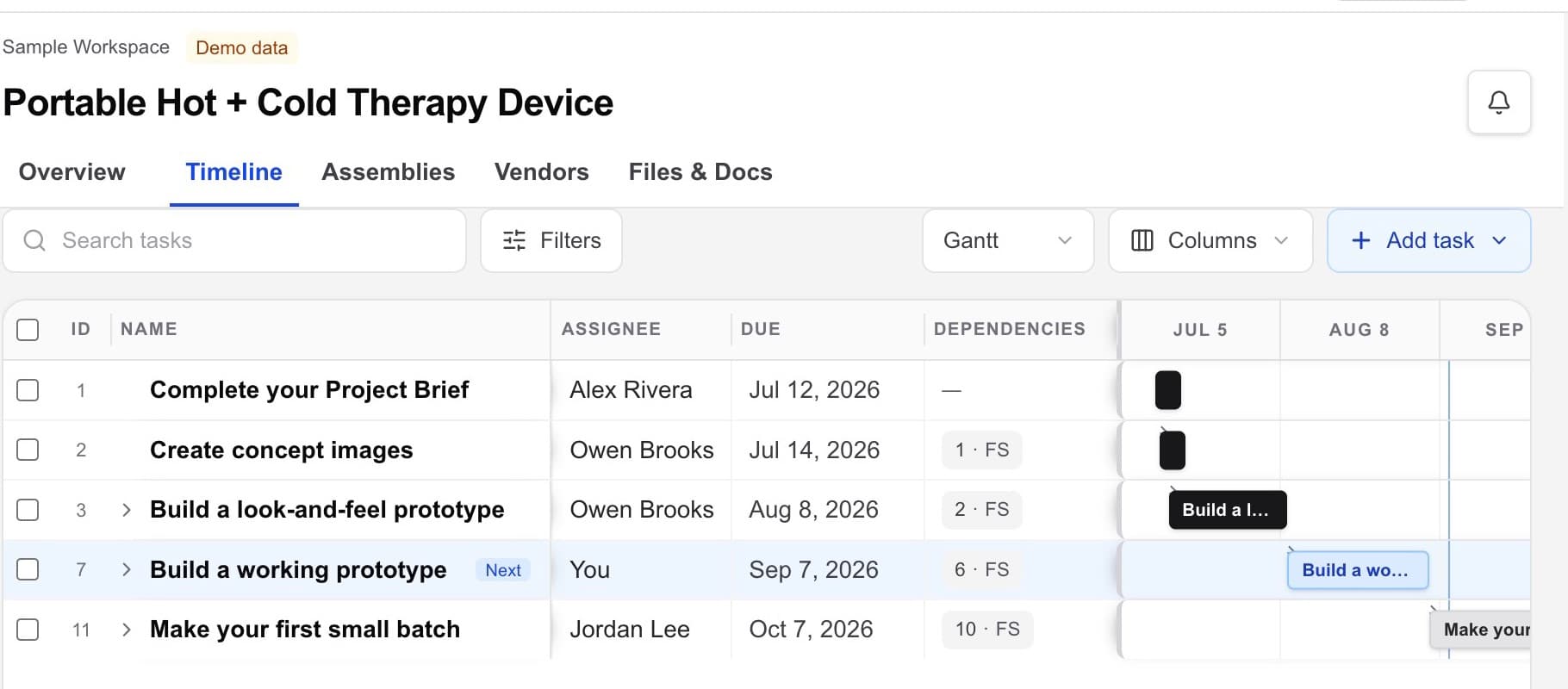
A useful starting point
The default project is a practical guide, not a locked process. Edit it, start blank, or import the plan you already use.
Project Brief
Concept images
Look-and-feel prototype
Working prototype
First small batch
Project management for physical work
The real work lives in CAD, drawings, documents, supplier quotes, approvals, and the handoffs between people. When those deliverables sit in separate tools, the project plan loses the product.
Workbench keeps the plan and the project record together—so you can see what is current, who owns the next action, and what a vendor needs.
One working record
Workbench is structured around the things a physical-product project has to produce, review, and pass forward.
Keep CAD, drawings, general documents, quotes, and other project files in one visible library.
Files · Documents · Versions
Put timing, responsibility, and review status next to the work instead of rebuilding the plan in email.
Timeline · Owners · Reviews
Connect each supplier to the contacts, agreements, quotes, files, and next steps needed to move work forward.
Vendors · NDAs · Handoffs
Files + documents
Keep design files, drawings, quote documents, notes, and other deliverables in the same project library. See what each file is, what it supports, and whether it is ready for review or still needed.
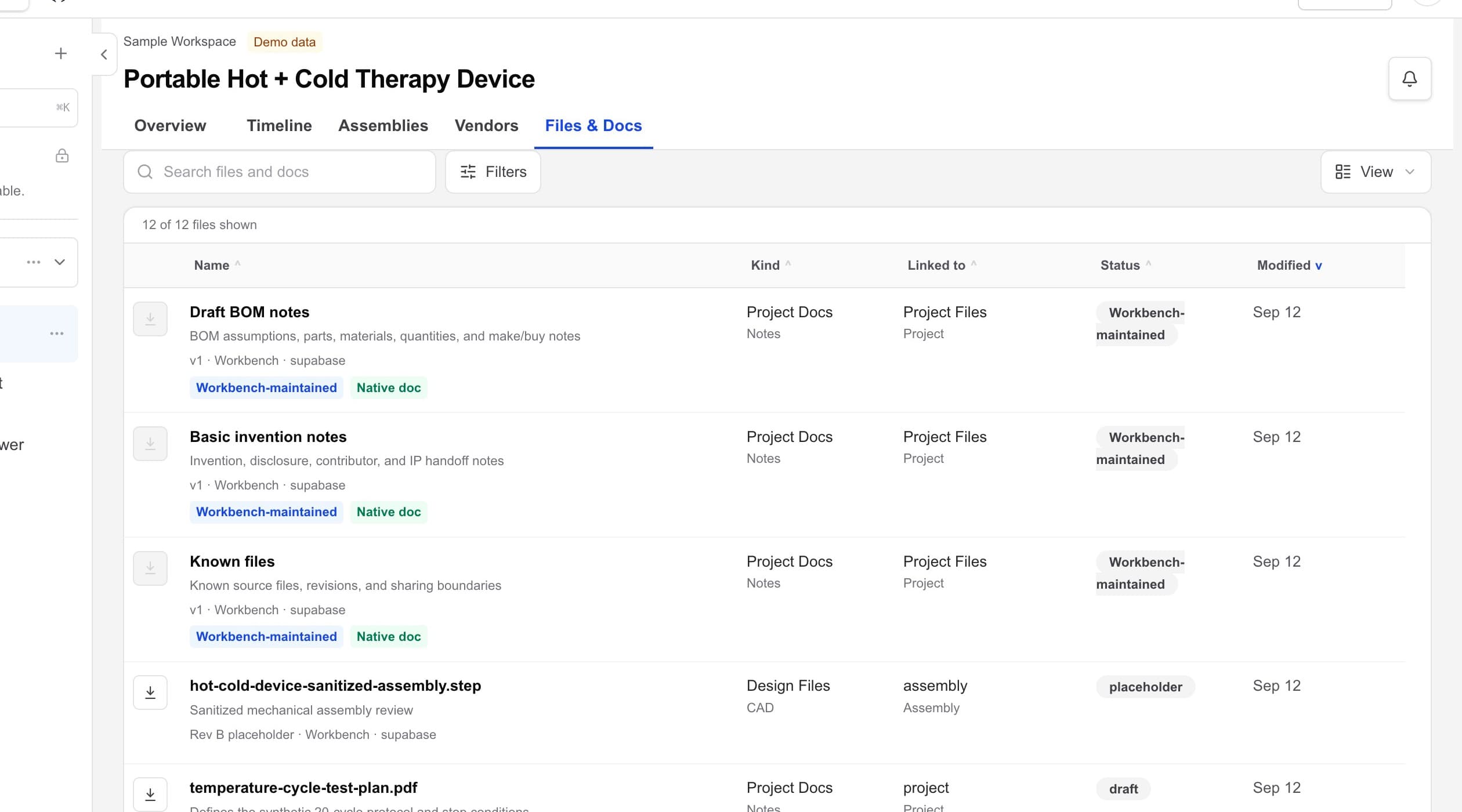
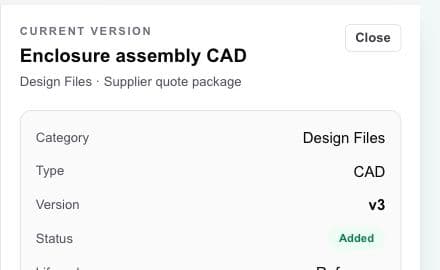
CAD revision history, without the jargon
Workbench keeps version information with the CAD file. People reviewing, quoting, or building from it can identify the current version and see the context that belongs with it.
Less time asking “is this the latest file?”
More confidence before a file leaves the project.
Timeline + ownership
Open the plan in Gantt view, switch to List or Calendar, and focus one task at a time. Each task keeps its status near the title with owner, parent task, timing, duration, description, and supporting context close by.
A clear deliverable
One visible owner
A current timeline
In-app templates
A living definition of the product, user, constraints, assumptions, and next decision.
Find vendors and track quotes together. Aim for three comparable quotes when practical; fewer may be right for specialized work.
An editable task structure for the physical work, owners, dates, and handoffs.
An appendable living document for observations, decisions, and what to change next.
Upload images or link to an external generation tool. Workbench keeps the references; it does not generate images.
Vendors + handoffs
Find vendor choices in Workbench or add your own. Compare capabilities and context, choose whom to engage, and keep contacts, agreements, quotes, files, open items, and next steps attached to a relationship you control.
Explore vendor handoffs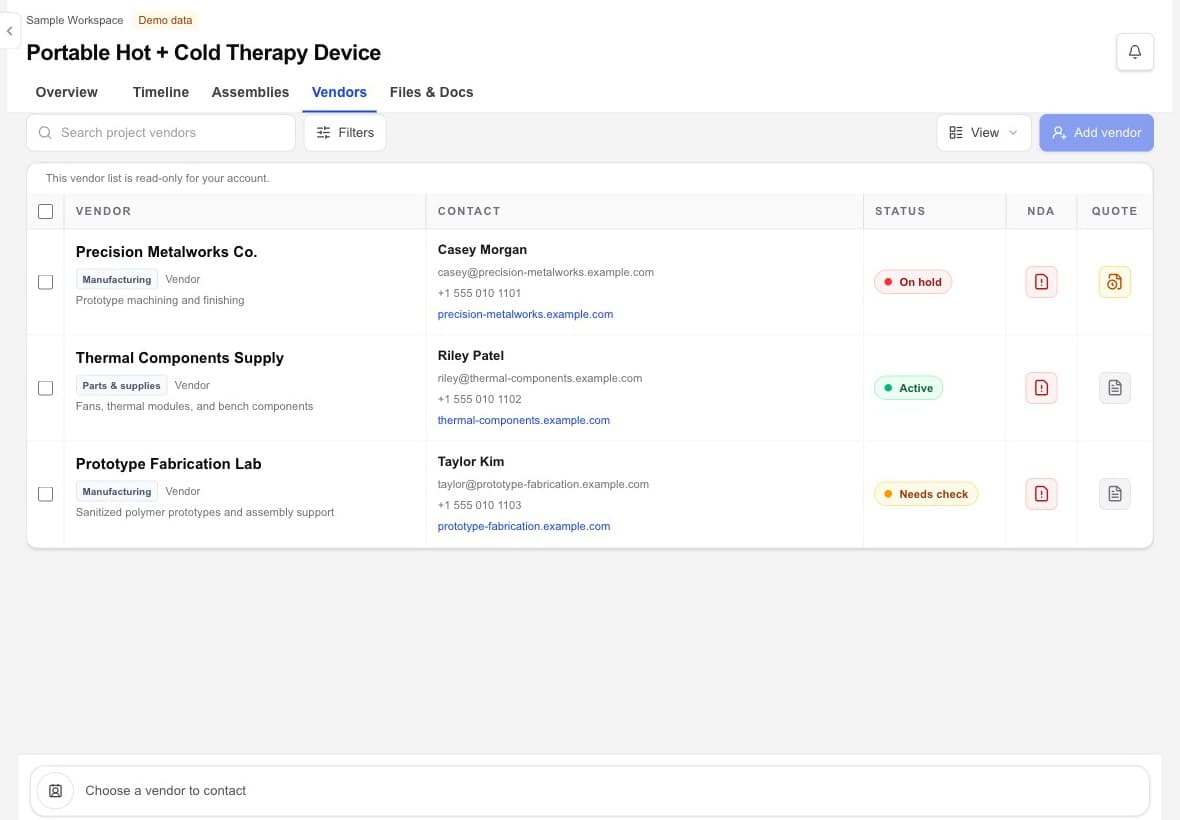
Continuity from vendor to vendor
When work moves between suppliers, the receiving vendor needs the right file, the current decision, the right contact, and a clear next action.
Browse vendors in Workbench or add a supplier you already know. You decide who moves forward.
Keep the contact, NDA, quote, files, open items, and agreed next step together.
Carry the right context as work moves from one vendor or specialist to the next.
Vendor outreach
Keep the vendor contact, quote record, file, open question, and next step with the project. When you contact a vendor, Workbench opens your email; it does not send, read, or sync that email.
Your vendor relationships
Workbench helps you find, compare, and coordinate independent vendors without assigning one to you. You choose whom to outsource to and control the scope, relationship, and decision. HardwareHub Consulting is one optional vendor among the choices you may consider.
HardwareHub owns and operates Workbench, and HardwareHub Consulting may appear as one optional owner-operated vendor. A listing, order, or score is not an independent endorsement, certification, or guarantee of capability, quality, price, lead time, compliance, or fit. You remain responsible for due diligence and vendor agreements.
As of September 1, 2026, HardwareHub does not receive compensation from vendors presented in Workbench, except that it may receive compensation from Slingshot in some circumstances. You still choose, vet, contract with, and pay each vendor separately; a listing is not an endorsement or guarantee.
Explore vendor discoveryYour project record
HardwareHub does not claim ownership of your ideas, project files, product plans, supplier information, or project context. Service providers identified in the Privacy Policy help operate the service without receiving ownership of that information.
Read the Data + IP summaryFrequently asked questions
Workbench is project-management and document-control software for physical-product work. It gives project deliverables, files, timing, ownership, vendors, updates, and handoffs one connected home.
Yes. Workbench is designed to keep design files alongside general project documents, drawings, quotes, and other deliverables, so the working record is not split across unrelated folders and tools.
Workbench keeps version information with project files, including CAD, so the current file and its revision context are easier to identify before someone downloads, reviews, or hands it off.
Yes. Add vendors you already use, compare them with other choices in Workbench, and decide which relationship to pursue.
Vendor records can keep practical handoff context together, including contacts, capabilities, NDA context, your recorded selection status, quotes, related files, open questions, and next steps.
Workbench keeps the vendor contact and handoff context with the project. When you contact a vendor, Workbench opens your email; it does not send, read, or sync that email.
You do. Workbench helps you find, compare, select, and coordinate vendors, but it does not assign one. HardwareHub Consulting is one optional vendor you may consider and is never included automatically with the software.
HardwareHub Workbench
Bring the files, owners, vendors, and handoffs behind your physical product into one working project record.